Transfer your one-on-one calls in Teams.
- When you're in a call, select More actions Select to see more options > Transfer in your call controls.
- Start typing the name of the person you want to transfer the call to and select them when they appear.
- Select Transfer to complete the transfer or the dropdown arrow to choose one of the following options:
- Work to transfer the call to their Teams number
- Work voicemail to send it straight to their voicemail
- Any other numbers (like their mobile number) they added to their account
Consult then transfer
You may want to check in with someone before you transfer a call.
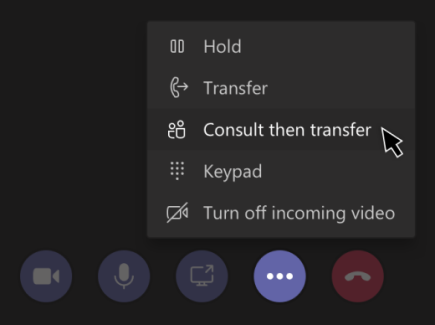
When you're in a call, select More actions More options button > Consult then transfer.
Teams-consult then transfer menu screen
Under Choose a person to consult, start typing the name of the person you want to reach and select them when they appear.
Consult with them by calling or using chat.
When you're ready, hit Transfer.